Topic: Knob nose (Read 13833 times) previous topic - next topic

Knob nose


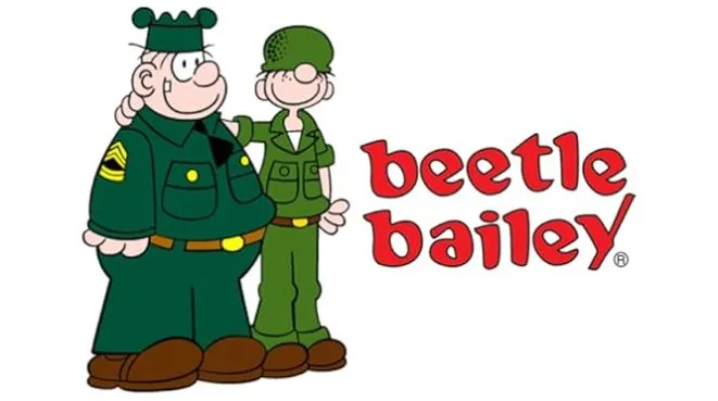
This are Searge and Beetle Bailey, my favorite private since I moved to Norway. And the collection of this little magazine fills moving boxes.
I was trying to make a character like Bailey (in Norway named Billy) but it doesn't matter, I can't make the nose round to the extreme.
Now my question, is it even possible in daz studio, or do I need z-brush or similar to do that?
Handle with care, I'm easy distracted with a woozy mind

Re: Knob nose

Reply #1
You need a sculpting tool ... or just use Blender.

The general technique is explained quite well here (see below). So first you have to prepare the character in DAZ as far as possible, then export it (BASIS!), then sculpt it in Blender and finally import it as a morph (recursive on, deltas only) to a GF8 base (!). Take a look at the video - and get in touch if you have any questions.

https://www.renderhub.com/learning/how-to-create-a-custom-genesis-8-character-in-daz-studio

Re: Knob nose

Reply #2
Thanks :)

Then I will see, how far I come :)
Handle with care, I'm easy distracted with a woozy mind

Re: Knob nose

Reply #3
Good luck :)

A few more general tips:

DAZ parameters: you can disable the limits to create larger eyes or smaller noses than those intended by DAZ.

GF8 in Blender: be sure to hide the eyes and mouth before sculpting so that they are not distorted as well.

Blender: It is best to work with many shape keys. Then  individual sculpting steps can be undone or reduced to have less impact.

Re: Knob nose

Reply #4
Thanks :)

I've just installed it ... again ... and am seriously curious how long Blender will stay this time, before I delete it ... again  :D
Was never a fan of this prog, maybe it's in time to change my mind  ::)
Handle with care, I'm easy distracted with a woozy mind

Re: Knob nose

Reply #5
*woooohooooo* installed AND I got G8 into Blender. I found the sculpting tool and what happened to the nose, every hammerhead would had been jealous  :))

I think I have a lot to learn, before I even come close to what I want *rofl* and something deep inside me is telling me, it's not worth the effort  8)
Handle with care, I'm easy distracted with a woozy mind

Re: Knob nose

Reply #6
Yep, Blender has a steep learning curve at the beginning, and sculpting in Blender also has its challenges. But the experience you gain can be used not only for characters, but also for 3D clothing (fine-tuning MD objects, etc.) or if you need a prop quickly (e.g., a mushroom ;) etc. etc. etc. ....

Once you have grasped the basics in Blender, it becomes easier. Word :)


Re: Knob nose

Reply #7
If I will survive the dentist tomorrow (2 new implants and already scared to death now) I will see, if I'll give it a try for the future  :D
Handle with care, I'm easy distracted with a woozy mind

Re: Knob nose

Reply #8
*woooohooooo* installed AND I got G8 into Blender. I found the sculpting tool and what happened to the nose, every hammerhead would had been jealous  :))

I think I have a lot to learn, before I even come close to what I want *rofl* and something deep inside me is telling me, it's not worth the effort  8)

Learning is always worth the effort. That's how we grow.

Re: Knob nose

Reply #9
Right, only that I feel a bit too old from time to time and have to remind myself, that there isn't a thing called "old"
Handle with care, I'm easy distracted with a woozy mind

Re: Knob nose

Reply #10
I used to say: you're only as old as you feel. I meant it positively... but now I'm noticing more and more that I feel
much older than I am :D

Anyway, I'm currently writing a short infotorial with a few tips on DAZ / Blender and character creation. It will (hopefully) be available on RH soon. But if Nena helps me (it's about large screenshots), we can also publish the information here. I'm currently having difficulties with large images, as only 120KB or so can be uploaded here.

Re: Knob nose

Reply #11
*lol* today I feel so old, I will never be able to be ... like 950 or so  :))

I will check later about the size for the pictures. Worst case, I have to find a better gallery, best case, I can just put in another number  :)
Handle with care, I'm easy distracted with a woozy mind

Re: Knob nose

Reply #12
You may not have to go that far. In your “Smile” post, I see a larger image (which is definitely over 120 KB). Maybe I just need a tip on the right approach. Let's wait and see (I still have to take the screenshots for the tutorial anyway).

Re: Knob nose

Reply #13
Oh, that was a simple solution, I just linked back from my cara account.
Another place I use to share pictures is share images

Since my host only offers 10GB in complete for all I load up huge pictures elsewhere  ;D
Handle with care, I'm easy distracted with a woozy mind

Re: Knob nose

Reply #14
Clever :)